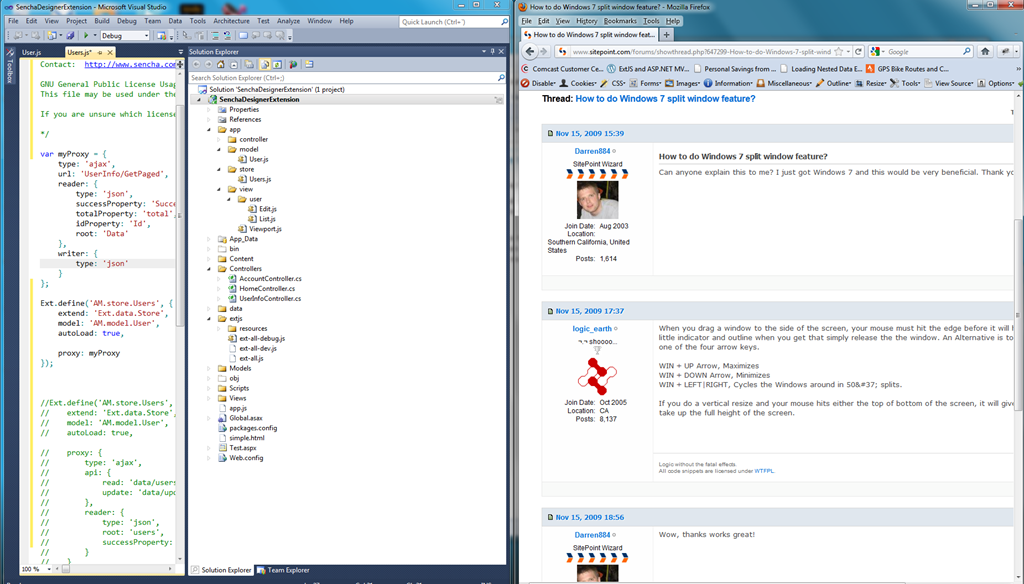
I think everyone but me knows this, but just in case, I thought I’d blog it.
I’m currently sitting in the Sprint Developer Conference and don’t have my multi-monitor setup. what I want to do is put visual studio on the left of my single screen, and the browser on the right. After some experimenting and Googling, I figure out the following.
If you drag an open program (by holding down the mouse on the title bar) to the edge of the screen, then let go of the mouse when you get to the edge of the screen, that program maximizes in height and the width is half the screen and it is attached (docked) to the side of the page where your mouse pointer was when you let go.